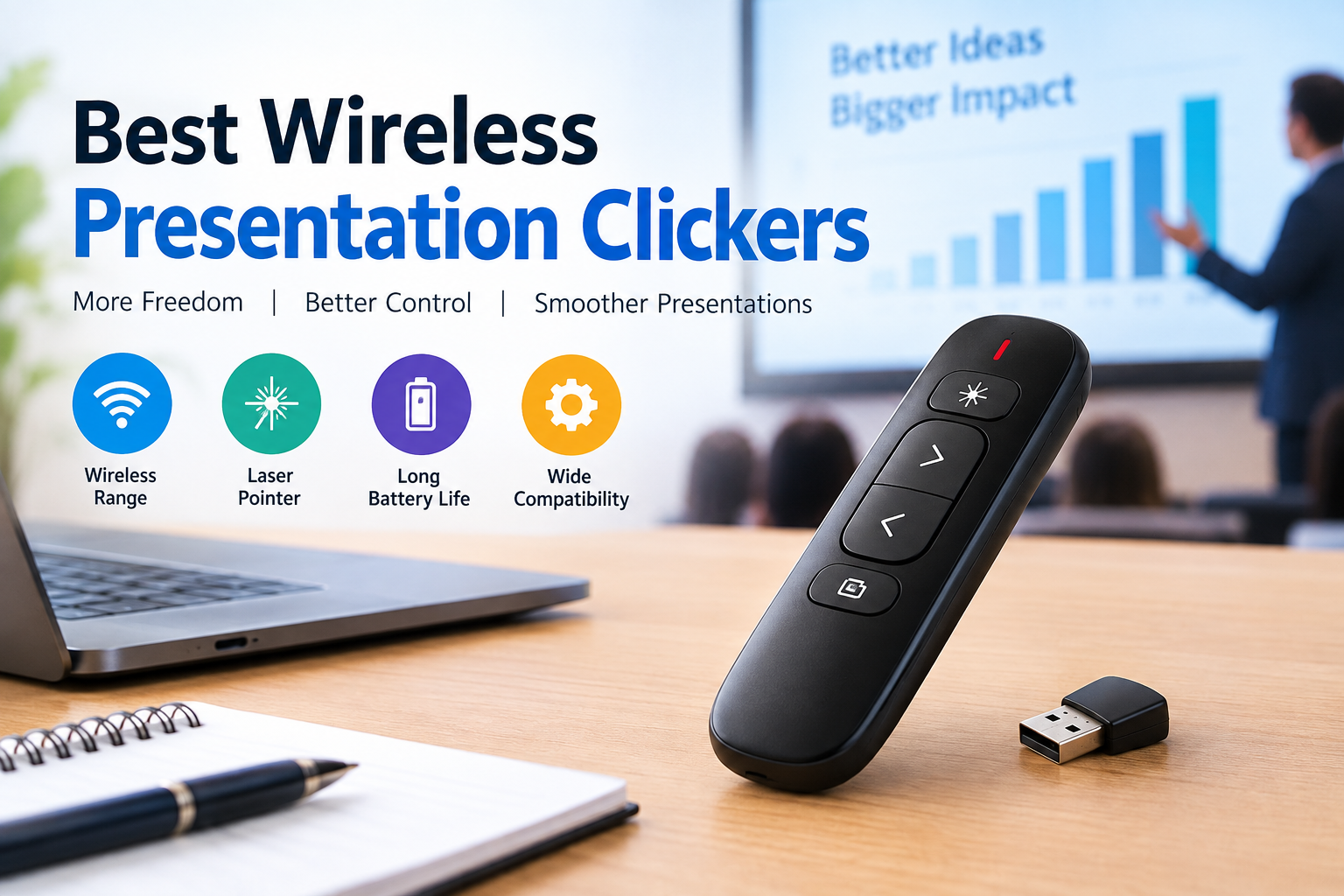
The best wireless presentation clickers can make a significant difference in how smoothly you deliver a presentation. Whether you are speaking in a classroom, leading a business meeting, presenting a project, or addressing a large audience, a reliable clicker allows you to move through slides without standing beside your computer. Instead of reaching for a keyboard or asking someone else to advance the presentation, you can maintain your position, make eye contact, and focus on your message. A good wireless presentation remote is more than a simple next-slide button.
Why Wireless Presentation Clickers Matter
Presentations are easier to follow when the speaker appears confident and in control. A wireless clicker helps create that impression by allowing you to move naturally while controlling your slides from a distance. This is especially useful when you are presenting from a podium, walking across a stage, or explaining information beside a projected screen.
Without a remote, speakers often turn away from the audience to operate a laptop, interrupting their explanation and reducing engagement. A wireless presentation clicker removes that distraction and makes transitions feel more natural. It also gives you greater flexibility when using visual aids, because you can advance slides at the exact moment you finish explaining a point.
What Makes the Best Wireless Presentation Clickers Different?
The best wireless presentation clickers combine reliability, comfortable design, useful controls, and straightforward operation. A remote may look impressive in a product listing, but its real value depends on how well it performs during an actual presentation. The buttons should be easy to identify without looking down, and the device should respond quickly when you press them.
A comfortable shape also matters because holding a poorly designed remote for a long session can become tiring. Good presentation clickers generally focus on essential controls rather than filling the device with unnecessary buttons. They should also connect easily to your computer and work consistently in the environment where you plan to present.
Wireless Range and Connection Reliability
Wireless range is one of the most important factors to consider when comparing presentation clickers. A remote with limited range may work perfectly in a small office but become inconvenient in a large classroom, conference hall, or auditorium. Before choosing a model, consider how far you normally stand from your computer and whether you need to move around during presentations.
Many modern presentation remotes use USB receivers or Bluetooth connections, and each approach has advantages. USB receivers are often simple to set up because they connect directly to a compatible computer, while Bluetooth can be useful for devices that do not have a traditional USB port. Connection stability is more important than a claimed maximum range.
Compatibility With Presentation Software
Before purchasing a wireless clicker, check whether it supports the software and devices you use most often. Many presentation remotes are designed to work with popular programs such as Microsoft PowerPoint, Google Slides, and Apple Keynote, but compatibility can vary by model.
Some devices offer basic next-slide and previous-slide controls, while others provide additional functions such as starting a presentation, blanking the screen, or opening a presentation window. If you regularly switch between Windows and macOS, cross-platform compatibility may be especially important.
Laser Pointer and Digital Highlighting Features
A laser pointer can be useful when you need to draw attention to a specific part of a slide. It allows you to guide the audience toward a chart, image, heading, or important figure without walking up to the screen. However, not every presentation requires a physical laser. Some modern clickers include digital highlighting features that work with compatible presentation software.
These may allow you to highlight content, magnify an area, or display a pointer directly on the screen. Digital tools can be especially useful when presenting through video conferencing platforms or sharing slides online. When comparing the best wireless presentation clickers, think about whether you need a traditional laser, a digital pointer, or both.
Battery Life and Charging Convenience
Battery performance is another important consideration, particularly for people who present frequently. A remote that runs out of power during an important meeting can interrupt the entire presentation. Some wireless clickers use replaceable batteries, while others include rechargeable batteries with a USB charging connection. Both options can work well, but the best choice depends on your preferences.
Replaceable batteries may be convenient when you travel because you can carry spares, while rechargeable models can reduce the need to purchase batteries regularly. Look for a clicker that provides a reasonable amount of operating time and, ideally, some indication when the battery is running low.
Design, Button Layout, and Ease of Use
A presentation remote should feel comfortable and intuitive in your hand. During a presentation, you should be able to locate the main buttons without constantly looking down. The next-slide and previous-slide controls should be easy to distinguish, and frequently used functions should not be placed where they can be pressed accidentally.
A compact design is useful for travel, but a device that is too small may be difficult to operate confidently. The best wireless presentation clickers often have a simple layout that allows you to focus on the audience instead of the remote. Some models include textured buttons or a curved shape for improved grip.
Presentation Timer and Productivity Features
A built-in timer can be valuable when you need to stay within a specific presentation schedule. Whether you are delivering a five-minute classroom talk or a forty-minute business presentation, keeping track of time helps you manage your content more effectively. Some advanced presentation clickers provide timer functions, vibration alerts, or visual indicators that remind you when you are approaching the end of your allotted time.
These features can be particularly useful for speakers who tend to lose track of time while explaining detailed information. Other productivity features may include slide previews, customizable buttons, or controls for navigating presentation software. While these extras are not essential for everyone, they can make a meaningful difference for frequent presenters who want more control over their sessions.
Tips for Using a Wireless Presentation Clicker Effectively
Even the best wireless presentation clickers work better when you prepare properly. Before your presentation, connect the remote to your computer and test every important button. Make sure the slides advance correctly and that any laser or digital pointer features work as expected. If the remote uses batteries, check the battery level before the event.
It is also wise to keep a backup plan, such as a wired mouse or keyboard, in case a technical issue occurs. During the presentation, avoid pressing buttons repeatedly if a slide does not change immediately. Give the device a moment to respond, especially when using software that may take time to load.
Are Expensive Wireless Presentation Clickers Worth It?
An expensive wireless presentation clicker is not automatically the best choice for every user. Premium models may offer better materials, advanced presentation controls, improved compatibility, or additional productivity features. A basic remote can be perfectly suitable for someone who only needs to advance slides and use a pointer.
The right purchase depends on how often you present and which features you consider essential. If you deliver presentations regularly, investing in a more reliable model may provide better long-term value. If you only present occasionally, a simpler option may be sufficient.
Final Thoughts
The best wireless presentation clickers are the ones that make presentations easier, more comfortable, and more reliable. A good remote should connect smoothly, respond quickly, and provide the controls you need without unnecessary complexity.
Whether you are a student, teacher, business professional, or conference speaker, the ideal clicker depends on your presentation environment and personal preferences. Consider wireless range, software compatibility, battery life, button layout, and useful features such as a laser pointer or timer.
Frequently Asked Questions
What are the best wireless presentation clickers?
The best wireless presentation clickers are reliable remotes that let you advance slides, move backward, and control presentations from a distance.
Do wireless presentation clickers work with Mac computers?
Many presentation clickers work with Mac computers, but not every model supports all features. Some use USB receivers, while others connect through Bluetooth.
Are rechargeable wireless presentation clickers better than battery-powered models?
Both rechargeable and replaceable-battery clickers can work well. Rechargeable models are convenient for regular use, while replaceable batteries can be useful when you need to replace power quickly.
Do wireless presentation clickers include laser pointers?
A laser pointer can help direct attention to specific areas of a slide, while digital highlighting may be useful for online presentations or screen sharing.
Can I use a wireless presentation clicker for online meetings?
Some wireless presentation clickers can be used during online meetings when they are compatible with your presentation software.
Also Read Here: Tech Guru WaveTechGlobal



1 thought on “How Can the Best Wireless Presentation Clickers Improve Your Presentation Experience?”