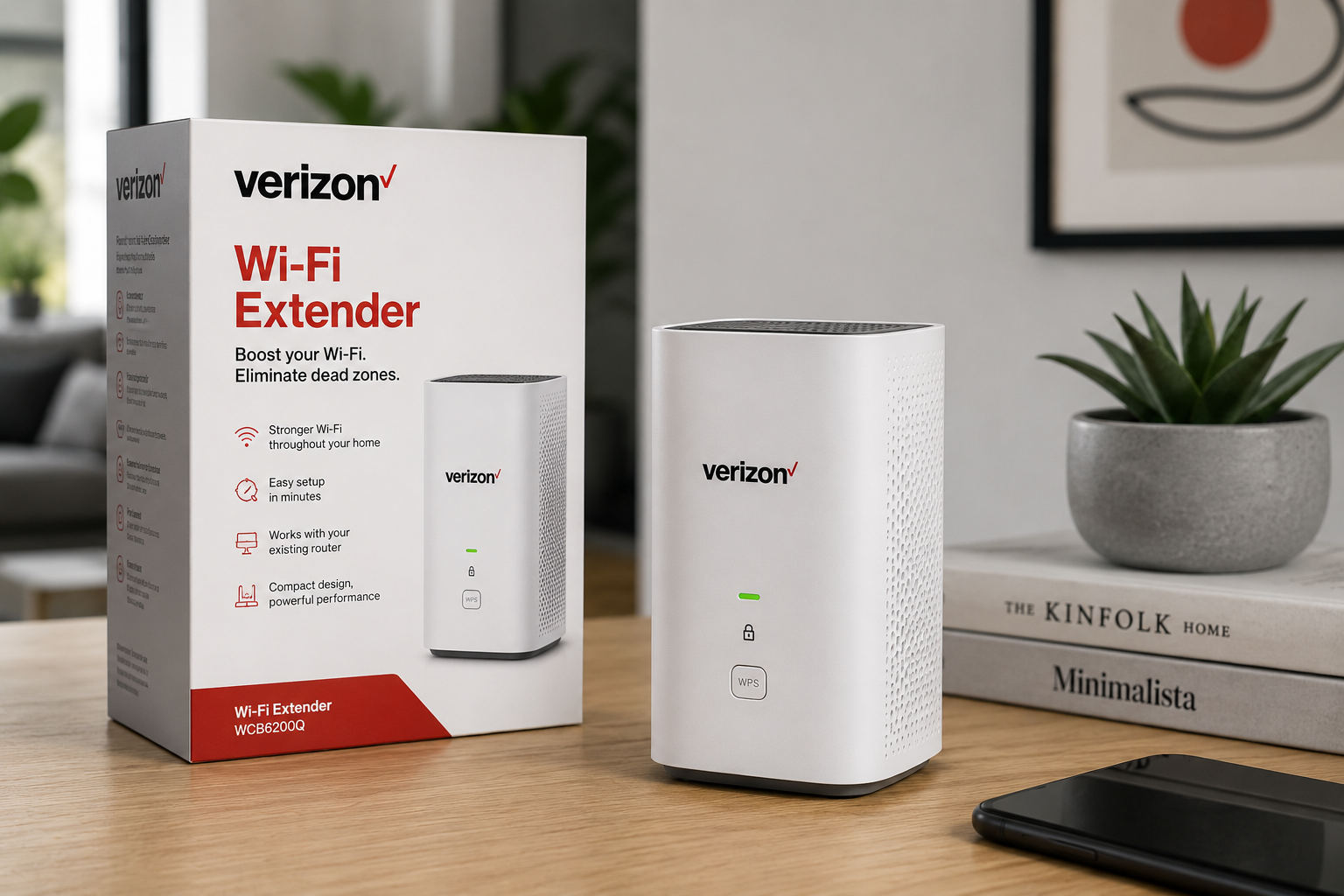
A reliable internet connection has become an essential part of modern homes, especially as more devices depend on WiFi for work, entertainment, communication, education, and smart-home functions. However, even a fast internet plan can experience weak signals in certain rooms. Thick walls, multiple floors, large distances from the router, furniture, appliances, and other sources of interference can all affect wireless performance. A Verizon WiFi extender is designed to help address these coverage limitations by extending the reach of an existing wireless network into areas where the signal may be weaker.
Table of Contents
ToggleWhat Is a Verizon WiFi Extender?
A Verizon WiFi extender is a networking device intended to expand wireless coverage from a Verizon home internet setup. It receives the WiFi signal from the primary router or gateway and retransmits it to a wider area. This can be particularly useful in homes where certain rooms receive a weak signal or where the router cannot effectively cover the entire property.
Depending on the Verizon equipment and service being used, an extender may work as part of a broader mesh-style network, helping devices connect more consistently as users move around the home. The basic idea is straightforward: the extender acts as a bridge between areas with strong WiFi coverage and areas that need additional wireless reach.
Why WiFi Coverage Can Be Uneven
Many people assume that a powerful internet plan automatically guarantees strong WiFi everywhere in the house, but internet speed and wireless coverage are different things. Your Verizon connection may deliver excellent speeds to the gateway while some rooms still experience poor wireless performance. The physical layout of a home has a major influence on signal strength.
Concrete walls, brick construction, metal objects, floors, mirrors, and even certain household appliances can interfere with wireless signals. A router positioned at one end of a large home may also struggle to deliver a reliable connection to rooms on the opposite side. A Verizon WiFi extender can help overcome some of these limitations by placing another wireless access point closer to areas that need better coverage.
How a Verizon WiFi Extender Works
The operation of a WiFi extender can be understood through a simple process. First, the extender communicates with the main Verizon router or gateway. It then receives the wireless network information and creates an extended coverage area. Devices located farther away from the primary router can connect through the extender when appropriate.
The effectiveness of this arrangement depends heavily on placement. If an extender is installed in an area where the original WiFi signal is already extremely weak, it may not have enough quality signal to redistribute effectively. For that reason, an extender generally performs best when positioned between the router and the area experiencing poor coverage rather than directly inside the weakest zone.
Verizon WiFi Extender vs. Traditional Range Extender
Not every WiFi extender provides the same experience. Traditional range extenders from different manufacturers may create a separate wireless network name or require users to manually choose between networks. Verizon-compatible equipment can offer a more integrated experience, depending on the specific model and Verizon service configuration.
Some setups are designed to work with the Verizon gateway and provide smoother network management. The practical difference is important for households with several smartphones, laptops, televisions, cameras, speakers, and smart-home devices. A well-integrated system can make connecting and maintaining those devices easier than managing several unrelated networking products.
When Should You Consider a Verizon WiFi Extender?
A Verizon WiFi extender can be worth considering when certain areas of your home consistently have weak or unreliable wireless coverage. Common warning signs include buffering in a bedroom that is far from the router, video calls becoming unstable in a home office, smart devices disconnecting frequently, or download speeds dropping significantly in particular rooms.
Dead zones are another obvious indicator. If your router performs well when you are nearby but struggles as you move farther away, the issue may be coverage rather than your internet subscription. An extender can provide an additional point from which devices can access the network, potentially making everyday connectivity more consistent.
Choosing the Right Location for Your Extender
Placement is one of the most important factors in getting good results from a Verizon WiFi extender. It should generally be positioned where the primary router still provides a reasonably strong signal. Placing it too far away can reduce its ability to communicate efficiently with the gateway. At the same time, putting it immediately next to the router may provide little additional coverage.
A central location between the router and the problem area is often a practical starting point. Avoid placing the extender inside cabinets, behind large appliances, on the floor, or directly beside objects that could interfere with wireless communication. Elevating the device and keeping it in an open location can also help improve signal distribution.
Understanding WiFi Dead Zones
A WiFi dead zone is an area where a wireless connection is either unavailable or so weak that normal online activities become frustrating. Dead zones are common in large houses, multi-story buildings, homes with thick construction materials, and properties where the router is positioned poorly. A Verizon WiFi extender can reduce these dead zones by expanding the usable wireless area.
An extender is not a magic solution for every networking problem. If the primary connection is already experiencing issues, extending that unreliable connection will not necessarily solve the underlying problem. Troubleshooting the main gateway first is therefore an important step.
Benefits of Using a Verizon WiFi Extender
One of the biggest advantages of a Verizon WiFi extender is improved coverage. A previously unreliable room may become much more usable for browsing, streaming, video conferencing, and other online activities. Another advantage is convenience. Instead of moving the primary router or running networking cables throughout the house, an extender can provide an additional wireless coverage point.
It can also be useful for smart-home devices that are installed far from the router. Security cameras, smart speakers, connected appliances, and other devices often need stable WiFi, making expanded coverage valuable in larger homes.
Better Connectivity for Home Offices
Remote work has made dependable home networking more important than ever. A weak WiFi signal in a home office can cause video meetings to freeze, file transfers to take longer, and cloud applications to disconnect. A strategically positioned Verizon WiFi extender can help provide more consistent wireless coverage in an office located away from the primary router.
This can be particularly helpful when relocating the router is impractical. However, people who regularly perform large uploads, use cloud-based production tools, or require extremely low latency may still benefit from a wired Ethernet connection where possible.
Improving Streaming and Entertainment
Streaming services have increased the demand for reliable home networks. Smart televisions, streaming boxes, gaming consoles, and mobile devices may all compete for wireless bandwidth. If an entertainment area is located far from the Verizon gateway, an extender may help provide a stronger connection.
Better coverage can reduce interruptions caused by weak signal strength, although actual streaming quality also depends on internet speed, network congestion, the streaming service, and the capabilities of the connected device. A WiFi extender should therefore be viewed as a coverage solution rather than a guaranteed speed upgrade.
Gaming and Verizon WiFi Extenders
Online gaming is another area where wireless quality matters. Gamers often pay attention to latency, packet loss, and connection stability rather than download speed alone. A Verizon WiFi extender may help when a gaming device is located in a room where the router’s signal is weak. However, adding a wireless hop can sometimes introduce additional latency, depending on the network design and equipment.
For competitive gaming, a direct Ethernet connection is generally preferable whenever practical. For casual gaming, an appropriately positioned extender may still provide a convenient improvement over an unstable weak signal.
Final Thoughts
A Verizon WiFi extender can play an important role in improving wireless coverage when the primary router cannot reliably reach every part of a home. Its purpose is not to magically increase the internet plan’s speed but to make the available connection more usable in areas where wireless coverage is weak. Proper placement, compatible equipment, realistic expectations, and basic network troubleshooting all contribute to better results.
Before installing one, identify the exact coverage problem and determine whether it is caused by distance, physical obstacles, interference, or a broader internet issue. When used in the right situation, a Verizon WiFi extender can help create a more dependable home network for work, streaming, gaming, smart-home devices, and everyday browsing.
Also Read Here: Hydroxyapatite Toothpaste



1 thought on “Verizon WiFi Extender: A Smarter Way to Eliminate Home WiFi Dead Zones”