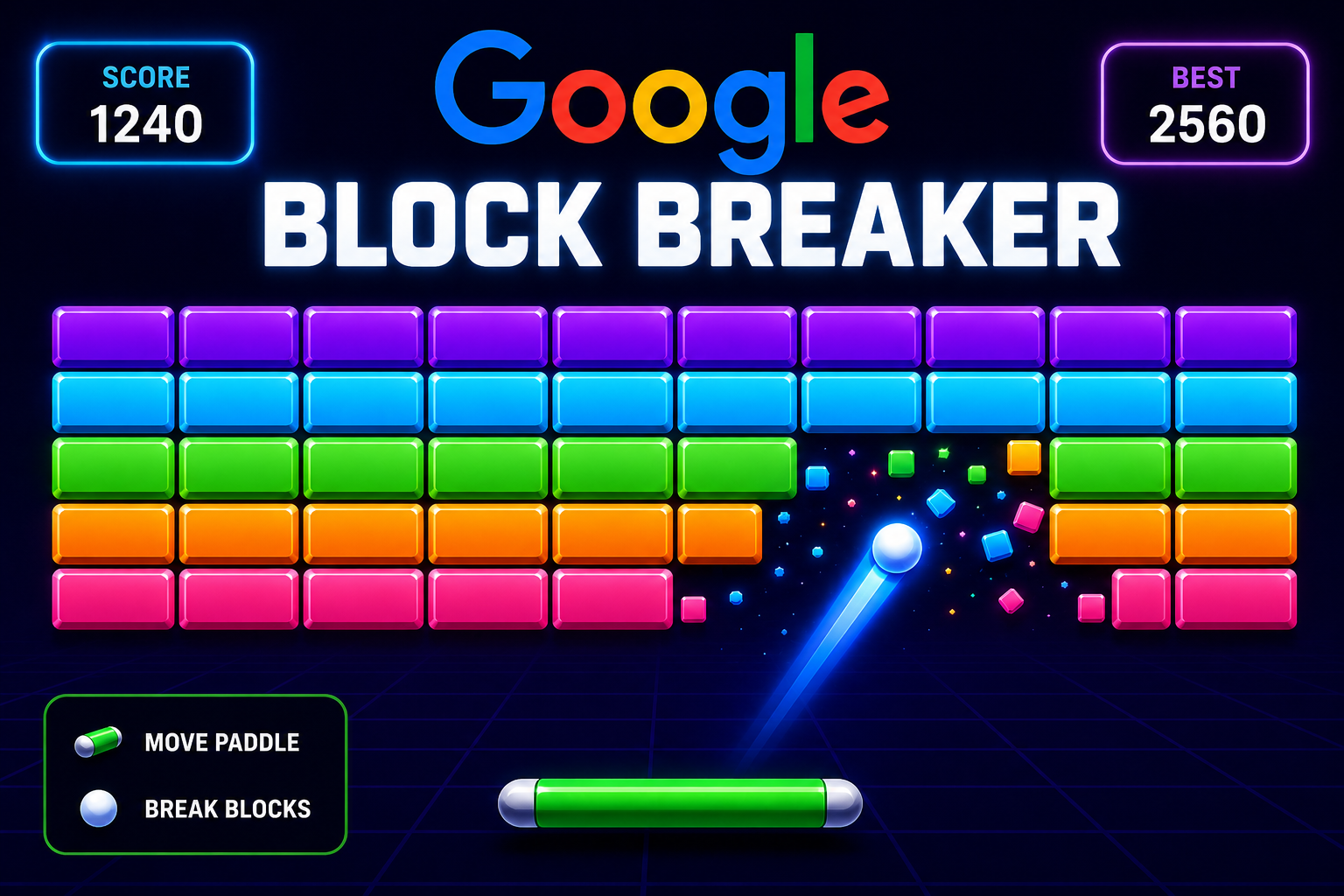
Google Block Breaker is a browser-based arcade game that lets you bounce a ball with a paddle and break blocks directly through Google Search. It was introduced to Google Search in January 2025 and is designed as a quick, easy-to-access game inspired by classic brick-breaking titles such as Atari Breakout.
What Is Google Block Breaker?
Google Block Breaker is one of the interactive games available through Google Search. Instead of downloading a separate application, players can search for “Block Breaker” and launch the game from the search experience when the game module is available. Google provides the game through its own web interface, making it convenient for short gaming sessions.
The concept is straightforward. A ball moves around the play area while the player controls a paddle at the bottom. The objective is to keep the ball in play and use it to destroy the blocks above. Completing a section allows the player to continue to another arrangement of blocks.
How Does Google Block Breaker Work?
The gameplay follows the familiar brick-breaker formula. You control a horizontal paddle and use it to redirect the ball toward blocks. When the ball hits a block, that block can disappear, while the ball changes direction.
Google’s version adds several elements to the classic formula. According to 9to5Google’s coverage of the game, the block layouts use Google’s familiar blue, red, yellow, and green colors. Some blocks can require additional hits, while special blocks can provide features such as extra balls, a longer paddle, TNT, and dual blasters.
The game also keeps track of your score. Players begin with three lives, and additional lives can be obtained during gameplay. Once a group of blocks has been cleared, additional rows appear as the game progresses.
How to Play Google Block Breaker
Playing the game is relatively simple. Start by opening Google Search and entering “Block Breaker”. When the interactive game appears, select the Play option to begin. Google also provides the game through a dedicated Block Breaker web experience.
On desktop, the paddle can be controlled using the left and right arrow keys. On mobile devices, the paddle can be moved by interacting directly with the game area. This makes the game suitable for both computer and smartphone users.
The game does not require the complicated controls associated with many modern games. Most of the challenge comes from predicting where the ball will travel and positioning the paddle correctly.
What Makes Google Block Breaker Different?
The biggest advantage is accessibility. Players do not have to search for a large game download or install dedicated gaming software before trying it. The game is integrated into the Google Search experience, which makes it particularly useful when someone wants a quick arcade-style distraction.
Its design also combines familiar gameplay with modern Google-inspired visuals. The colored blocks and special gameplay elements give the classic brick-breaker concept a recognizable Google feel.
Another useful feature is its availability across devices. Reports on the launch indicate that the game works on desktop and mobile web, as well as through the Google app on Android and iOS.
Google Block Breaker Controls
The controls are intentionally uncomplicated. On a desktop computer, the left and right arrow keys move the paddle horizontally. On mobile, players can control the paddle through touch interaction.
Good paddle positioning is more important than complicated button combinations. Players need to watch the ball carefully and anticipate its next position. Moving too early or too late can cause the ball to pass the paddle and cost a life.
Power-Ups and Special Features
One of the more interesting aspects of Google Block Breaker is its special effects and power-ups. 9to5Google reported features including extra balls, an extended paddle, TNT, and dual blasters. These additions can change how a round develops and give players opportunities to clear blocks more efficiently.
Power-ups also make the experience less predictable than a basic brick-breaker game. Instead of relying exclusively on one ball and one paddle, players may encounter temporary advantages that help them handle more difficult sections.
Tips for Getting a Better Score
A strong score depends largely on paddle control and concentration. Try to keep your paddle positioned underneath the ball’s expected path rather than reacting at the last possible moment. It can also help to pay attention to the angle at which the ball hits the paddle.
Different contact positions can send the ball in different directions, allowing experienced players to target particular sections of the block arrangement. When special features appear, use them strategically rather than moving the paddle without a plan.
Multiple balls can create opportunities to destroy several blocks quickly, but they can also make the screen harder to follow. Most importantly, avoid focusing only on the blocks. The ball’s position should always be your primary concern because losing the ball can cost a life.
Why People Enjoy Google Block Breaker
The appeal comes from its simplicity. There is almost no learning curve, and a player can understand the objective within seconds. At the same time, maintaining control of the ball becomes progressively more challenging as the game develops.
It is also well suited to short sessions. Someone waiting for an appointment or taking a quick break can play for a few minutes without setting up a gaming account or installing a large application.
The combination of familiar arcade mechanics, Google-themed visuals, quick controls, and accessible gameplay makes Google Block Breaker an interesting addition to Google’s collection of interactive Search experiences.
Conclusion
Google Block Breaker brings the classic brick-breaking formula into Google Search with a simple paddle-and-ball system, colorful blocks, scoring, lives, and special gameplay elements. It is designed for quick entertainment and can be played through Google’s web experience on supported devices.
For anyone who enjoys classic arcade games, Google Block Breaker offers an easy way to enjoy a familiar style of gameplay without the complexity of a modern game.
FAQs
What is Google Block Breaker?
Google Block Breaker is an arcade-style brick-breaking game available through Google Search. Players control a paddle and use a bouncing ball to destroy blocks.
How do I play Google Block Breaker?
Search for “Block Breaker” on Google and select the game when the interactive result appears. On desktop, the arrow keys can control the paddle, while mobile players can use touch controls.
Is Google Block Breaker free?
The Google Search version is available as an interactive web game rather than a conventional paid download.
What devices support Google Block Breaker?
The game has been reported as available through desktop and mobile web experiences and through the Google app on Android and iOS.
Also Read Here: PS6 release date

1 thought on “Google Block Breaker: A Fun Arcade Game You Can Play Instantly”